
VirusTotal is a legitimate online security service that checks files, URLs, domains, IP addresses, and file hashes against multiple antivirus engines and security data sources. It’s especially helpful when a download, email attachment, website link, or running program seems suspicious. Still, a detection doesn’t automatically prove something is malware. You should also never upload confidential files, since submitted samples may be shared with security partners and researchers.
This VirusTotal review covers what the service does well, where its limits lie, and how to read its results without creating a privacy or security risk.
What VirusTotal Is and How It Works
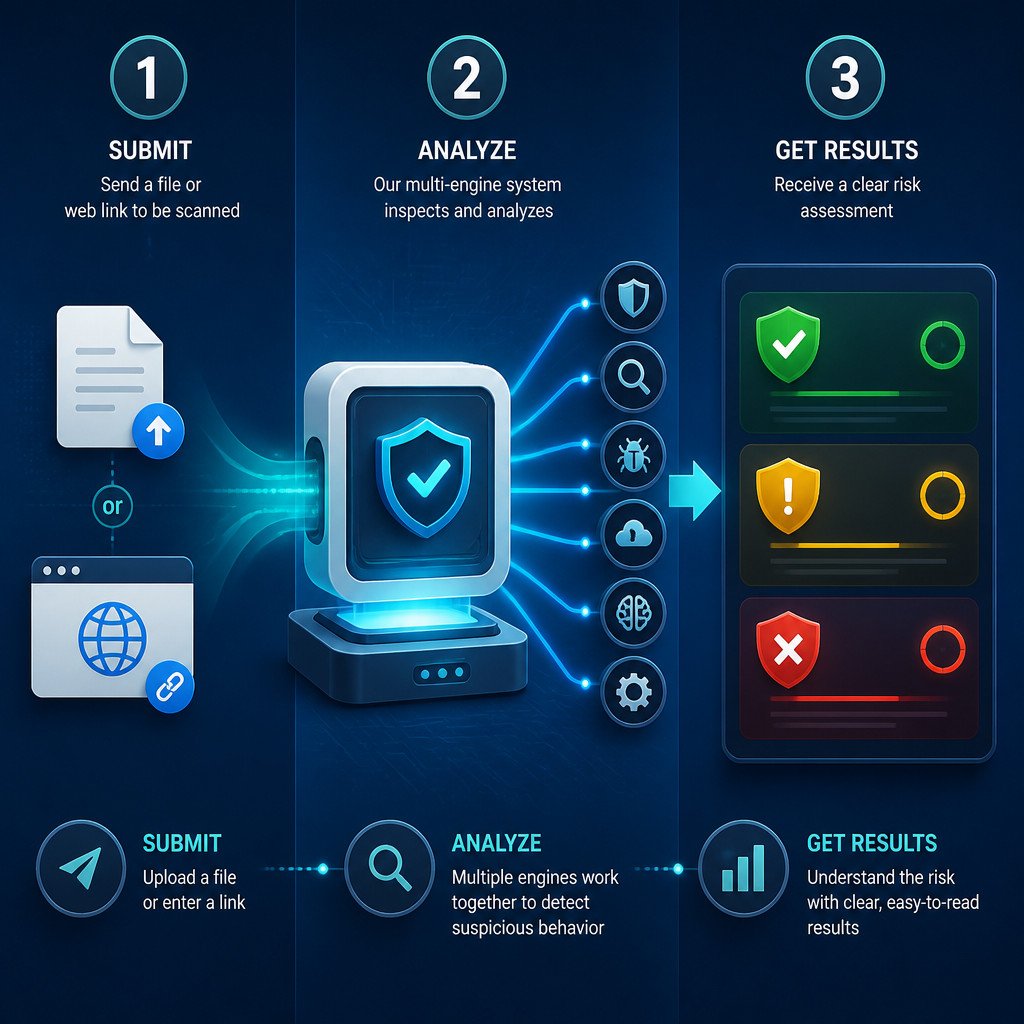
VirusTotal is a malware analysis platform that brings together results from many security vendors. Instead of depending on a single antivirus product, it checks a submitted item against multiple detection engines, reputation systems, and sources of behavioral analysis data.
You can submit or search for:
- Files, including installers, documents, archives, and executables
- Website URLs
- Domains and IP addresses
- Cryptographic hashes, such as SHA-256 values
When you submit a file, VirusTotal calculates its unique hash and checks whether the file has been analyzed before. If a report already exists, you can view it right away. If not, the platform scans the file and creates a report once the analysis finishes.
Quick Verdict on VirusTotal
| Area | Verdict |
|---|---|
| Best use | Checking suspicious downloads, links, hashes, domains, and email attachments |
| Detection coverage | Strong, because it compares results from multiple engines |
| Ease of use | Excellent for one-off checks |
| Privacy for sensitive files | Poor; do not upload confidential or proprietary data |
| Replacement for antivirus | No; it is an analysis tool, not endpoint protection |
| Overall | Highly useful when used carefully and interpreted correctly |
VirusTotal is one of the most useful free resources for investigating suspicious items. Its biggest limitation is context. The service can show that security vendors have flagged something, but it can’t always determine whether that file is dangerous in your particular environment.
How to Scan a File Safely With VirusTotal
- Don’t open the file first. If it arrived unexpectedly or came from a source you don’t trust, leave it unopened.
- Check whether the publisher is legitimate. A file downloaded from an official vendor page carries less risk than one found on an anonymous file-sharing site.
- Open VirusTotal in your browser. Choose the file upload option, or search for a SHA-256 hash if you already have one.
- Read the privacy notice before uploading. Never submit passwords, contracts, customer data, private documents, internal software, database exports, or other confidential material.
- Upload the file only if it’s safe to share. Then wait for the analysis report.
- Review the detections, file details, and behavior information. Don’t base your decision on the detection count alone.
If the file contains confidential information, scan it locally with your installed security software instead. In a business setting, use an approved endpoint security or sandboxing tool that keeps samples inside your organization.
How to Check a URL, Domain, or IP Address
VirusTotal can help investigate suspicious websites without requiring you to visit them directly. Paste a full URL, domain name, or IP address into the search field to see existing reputation data and detections.
While reading a URL report, look for:
- Security vendors that identify the site as phishing, malware, a scam, or otherwise suspicious
- Recent analysis activity and first-seen dates
- Redirect chains that may show where a shortened or disguised link leads
- Related files, domains, and IP addresses
- Community comments and reputation signals, treated as supporting evidence rather than proof
A clean result isn’t a guarantee that the site is safe. New phishing pages and malicious websites may not have reached security scanners yet. If a link requests login credentials, payment details, or a download, confirm the destination independently before going any further.
How to Interpret a VirusTotal Detection Ratio
The detection ratio shows how many security engines flagged an item compared with the total number that analyzed it. A result with one detection out of many engines, for instance, means something very different from a file flagged by dozens of engines.
| Result pattern | What it may mean | Recommended action |
|---|---|---|
| Zero detections | No engine currently recognizes a threat | Remain cautious, especially with new or unexpected files |
| One or two detections | Possible false positive, potentially unwanted software, or an early threat | Check vendor names, labels, digital signature, source, and behavior |
| Several detections | Meaningful warning that needs investigation | Do not run the file until you can verify it through a trusted source |
| Many detections with malware labels | Likely malicious or unsafe | Delete or quarantine it and run a local security scan |
The quality of the detections matters more than the number by itself. A file flagged by several established vendors using consistent labels such as trojan, ransomware, credential stealer, or phishing is far more concerning than one obscure, generic detection.
Why VirusTotal Reports False Positives
A false positive happens when a legitimate file is classified as suspicious or malicious. New software can trigger these alerts, as can administrative utilities, game modifications, software packers, cryptocurrency-related tools, and programs that change system settings.
Before assuming that a low detection count confirms malware, check:
- Whether the file came from the developer’s official website
- Whether its digital signature is valid and belongs to the expected publisher
- Whether the SHA-256 hash matches a value published by the vendor
- Whether the file name and version match the legitimate software release
- Whether the detections are generic, inconsistent, or limited to a small number of engines
Don’t treat a possible false positive as permission to run an unknown executable. If you can’t independently confirm where it came from, the safest option is not to open it.
The VirusTotal Privacy Warning
Don’t upload anything private to VirusTotal. Depending on the submission type, account status, and sharing settings, uploaded samples and related metadata may be accessible to security vendors, researchers, and other authorized platform users.
That access is valuable for threat intelligence because it helps security teams detect emerging malware. But it also makes VirusTotal unsuitable for scanning sensitive documents, source code, private keys, credentials, client files, internal company tools, or unreleased software.
What VirusTotal Can’t Replace
VirusTotal works as a second opinion and investigation tool. It doesn’t replace real-time antivirus protection, software updates, backups, email security, or careful browsing habits.
For stronger protection, pair it with these practices:
- Keep your operating system, browser, and applications updated.
- Download software only from official sources.
- Use reputable endpoint security software with real-time protection enabled.
- Turn on multi-factor authentication for important accounts.
- Keep tested backups separate from your primary device.
- Confirm unexpected email attachments and links through another communication channel.
FAQ
Is VirusTotal safe to use?
Yes. VirusTotal is widely used by security professionals and researchers. Privacy is the main safety concern, so never upload sensitive files or information. Submitted content may be shared for security analysis.
Does a VirusTotal result of 0 detections mean a file is safe?
No. A zero-detection result only means the engines that scanned the file didn’t flag it at that time. New, targeted, or heavily obfuscated malware may still evade detection.
Can VirusTotal remove malware?
No. VirusTotal analyzes files and URLs, then reports what it finds. It doesn’t disinfect your computer or remove malicious software.
Should I delete a file if one antivirus engine detects it?
Not automatically. A single detection may be a false positive. Check the file’s source, digital signature, hash, detection label, and whether reputable engines agree. If the file was unexpected or can’t be verified, don’t run it.
Can I scan a suspicious link without opening it?
Yes. Paste the URL into VirusTotal instead of visiting it. You can then review the available reputation and analysis data, though a clean report still doesn’t guarantee that the destination is safe.
Final Verdict
VirusTotal is an excellent free service for checking suspicious files, links, domains, and hashes. It’s fast, accessible, and provides more information than relying on one antivirus engine alone. Use it as one part of a broader security process, read detections in context, and never put sensitive files into the upload form.
