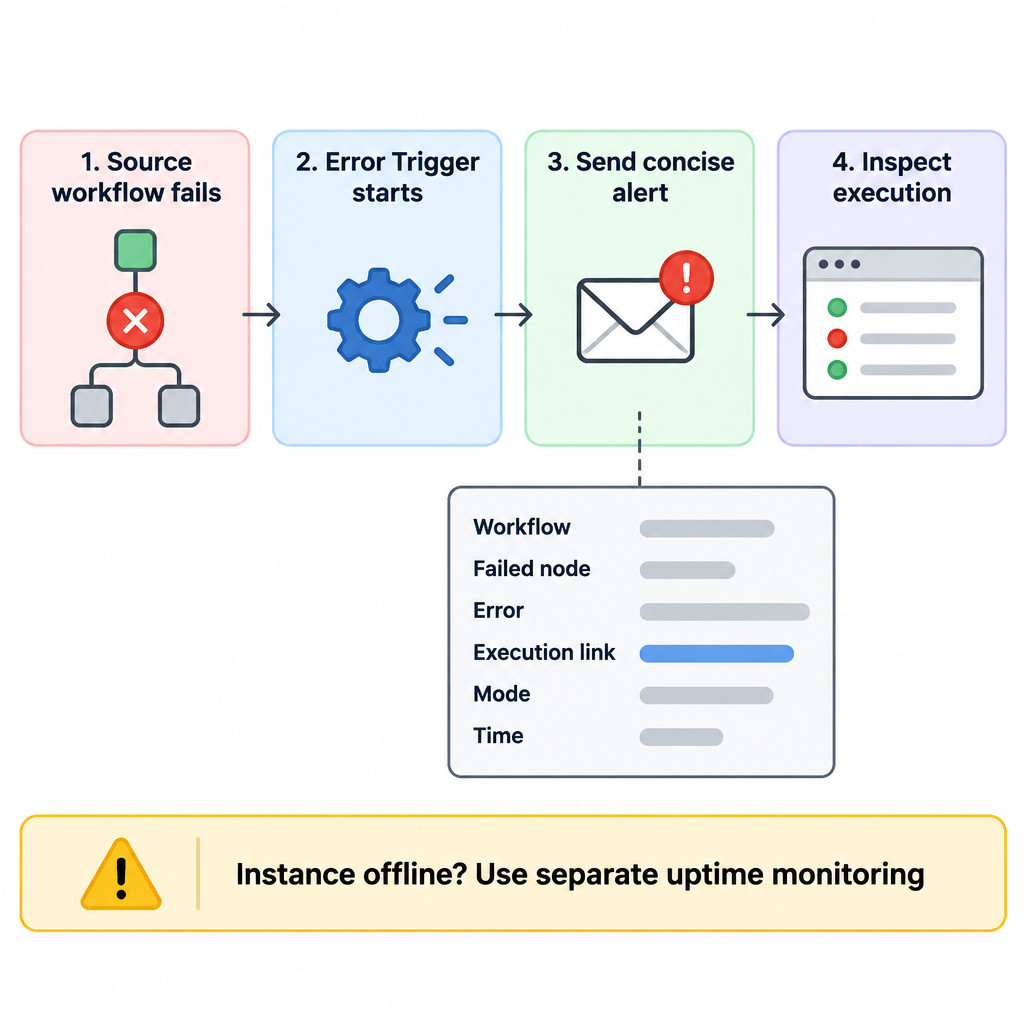
An n8n error workflow is a separate, active workflow that starts when an assigned workflow ends with an unhandled error. Its job is to make failures visible and actionable: identify what failed, link to the execution record, and send the right person a concise alert.
Build one reusable handler rather than adding notification logic to every automation. Then assign that handler to each workflow where a missed failure has a real consequence, such as a failed lead handoff, report delivery, or data update. This does not replace fixing the underlying workflow, nor does it monitor whether the n8n host itself is reachable.
Decide what deserves an alert
Start with workflows that run without someone watching them and whose result matters after the trigger has fired. A low-priority experiment may only need execution history. A workflow that updates a business system or responds to incoming requests usually needs a prompt alert.
- Choose an alert destination: email, Slack, or another channel your team actually monitors.
- Keep alerts minimal: workflow name, failed node, error summary, execution link, execution mode, and a time label are normally enough.
- Exclude sensitive payloads: do not send credentials, authorization headers, customer records, or complete request bodies to a broad notification channel.
- Decide ownership: name the person or team responsible for reviewing the alert and execution.
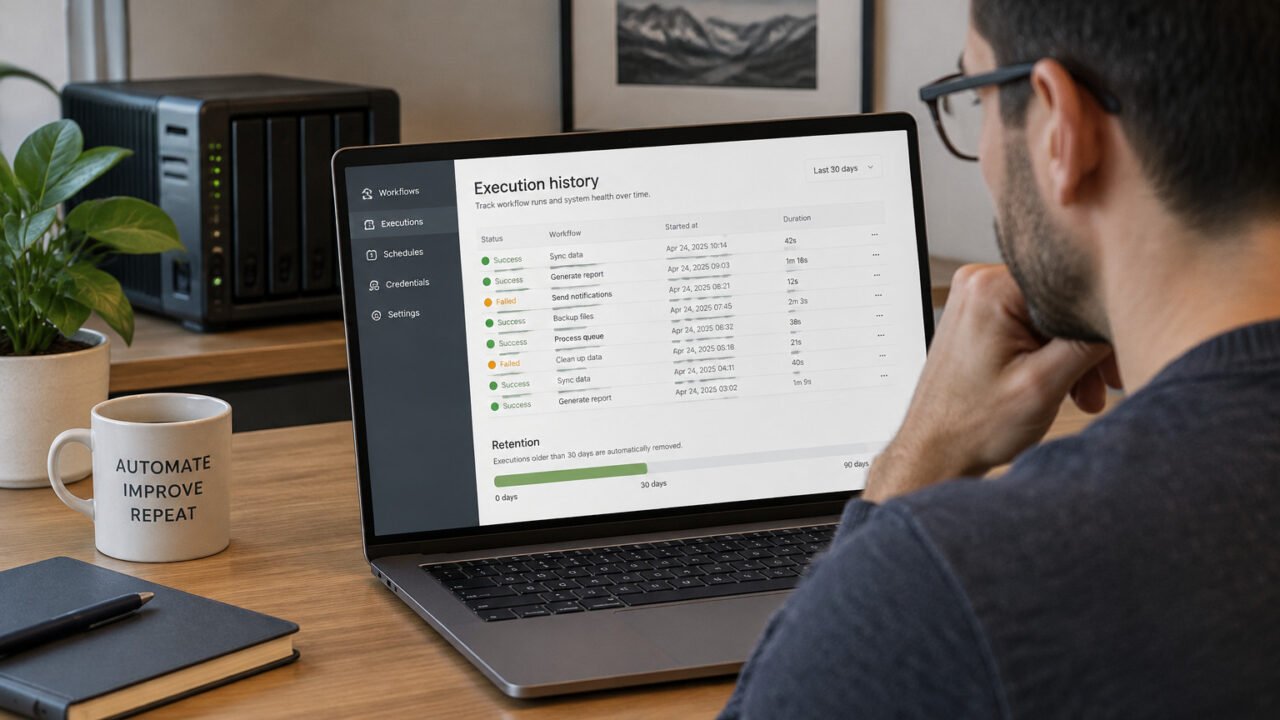
n8n execution records can be filtered by status, including failed executions, and provide the evidence to inspect after an alert arrives. The alert should point to that record instead of trying to reproduce every input and output in a message. n8n’s execution documentation also describes retry options, which should be used only after considering earlier side effects.
Create one reusable error handler
Create a new workflow dedicated to failure notifications. Put an Error Trigger first, then connect it to your approved notification node. The Error Trigger is intended to start a dedicated workflow after another workflow fails, making it a useful central point for failure alerts. n8n’s guidance on throttling and rate limiting describes this pattern in the context of failed API work.
In the notification node, use the data made available by the Error Trigger to compose a short message. Field names and expression choices can vary with n8n versions and node configuration, so select the available values in the expression editor rather than copying an expression from an unrelated workflow.
Make every alert useful at first glance
A useful alert answers two questions: what needs attention, and where can someone investigate it? Include the source workflow name, the last node executed or failed node, the error message, a link to the execution, the execution mode, and a short time label. Treat the message as a pointer, not a data export.
| Alert element | Why it matters | Example wording |
|---|---|---|
| Workflow name | Identifies the automation | Workflow: Daily inventory sync |
| Failed node | Narrows the investigation | Node: Update stock API |
| Error summary | Helps classify the failure | Error: request returned a rate-limit response |
| Execution link | Opens the detailed record | Open execution in n8n |
| Mode and time | Adds operating context | Mode: trigger; Time: 14:05 UTC |
The example wording is illustrative. Avoid putting raw inputs into it. An error message can itself contain sensitive details, so consider truncating it or routing detailed alerts to a restricted channel when your workflows process personal or confidential data.
Assign the handler to important workflows
Activate or publish the error-handler workflow as required by your n8n interface. Then open each production workflow that needs coverage and select that handler in its Error Workflow setting. One handler can serve many workflows; the incoming error context distinguishes the original workflow.
Do not assume that creating the handler protects every workflow automatically. Assignment is the coverage decision. Keep a short list of critical workflows and review it whenever you add a new automation.
Use retries only for failures likely to be temporary
Node-level retries can resolve temporary API trouble, such as rate limiting or a short service outage. Enable Retry On Fail with a delay only when repeating that particular request is safe and likely to help. Pacing requests can prevent rate limits in the first place; retries are a fallback for residual transient failures, not a universal repair strategy.
| Situation | Usually reasonable response | Why |
|---|---|---|
| Rate-limit or temporary unavailable response from a read request | Retry with a delay and a small limit | The service may recover or permit the next request later. |
| Invalid credentials or permission denied | Alert and investigate | Repeating unchanged credentials is unlikely to fix access. |
| Bad input or validation error | Handle locally or alert | The underlying data normally needs correction. |
| Send message, create order, or create charge | Do not blindly retry | A prior attempt may have succeeded remotely even if n8n did not receive a usable response. |
For actions with external side effects, safe retrying requires a duplicate-prevention design in the external system, such as an idempotency key or a reliably checked unique record. n8n cannot make an arbitrary remote action idempotent. API errors may stem from authentication, authorization, rate limiting, or unavailable services, among other categories; classify the error before choosing a response. n8n’s error-handling reference provides this error-category context.
Let critical errors reach the error workflow
An error workflow runs when a source workflow ends in an unhandled failure. If a workflow catches an error locally and continues through an error output, it may complete without producing the failure that triggers the handler. Use local handling when the workflow can make a deliberate, safe decision, such as recording a known optional-data issue and continuing. Leave genuinely critical failures unhandled so they fail visibly and reach the assigned error workflow.
Test the path with a controlled live failure
A manual editor run is not sufficient proof that your error-alert path works. Instead, use a disposable active workflow with a scheduled or webhook-triggered run and introduce a controlled, harmless failure. Confirm that the source workflow appears as failed, the error handler runs, the notification arrives, and its execution link opens the correct record.
- Create a temporary workflow with a safe trigger and a deliberately failing step that has no external side effect.
- Assign your reusable error handler and activate the temporary workflow.
- Trigger it through its normal active path rather than only using Execute Workflow in the editor.
- Check the alert contents and open the linked execution.
- Remove or disable the test workflow when finished.
When investigating a real failure, inspect its execution before retrying it. Retrying can use the current saved workflow or the original workflow and prior execution data, depending on the option chosen. That flexibility is useful, but it does not remove the risk of repeating an earlier write, message, or payment-related step. Resolve uncertainty about side effects first.
Know the coverage boundary
An Error Trigger cannot run if the n8n instance, its worker, or the surrounding infrastructure is unavailable. Use separate uptime and host monitoring for that problem. Also keep ordinary security maintenance separate from error alerting: n8n’s security audit is designed to surface configuration and deployment risks, not configure failure notifications or guarantee a secure deployment. Review the n8n security audit documentation when securing a self-hosted instance.
Production checklist
- A dedicated, active Error Trigger workflow exists.
- Its alerts identify the workflow, node, error, execution, mode, and time without exposing unnecessary data.
- Every workflow where missed failure matters is assigned to the handler.
- Retries are limited to plausibly temporary failures and safe operations.
- A controlled active-run test has produced and verified an alert.
- Separate monitoring covers n8n and infrastructure availability.
This setup turns a vague “workflow failed” notification into a direct route to the evidence needed to decide whether to fix data, credentials, workflow logic, or an external dependency.