Use pinned data in n8n when you need repeatable development input without rerunning an upstream webhook, API request, database query, or other live step. Pinning saves a node’s output and reuses that output in later editor executions, allowing you to work on downstream nodes against a stable sample.
This is useful when repeated testing could consume an API allowance, create duplicate records, send messages, or simply produce different input each time. It is a development aid, not a substitute for a final test with fresh input. n8n documents that pinned data is not used in production workflow executions, and pinning has a single-main-output limitation. See n8n’s documentation on pinning and mocking data for the feature’s current behavior.
Pinned data versus mocked data
These approaches solve related but different problems. Pinned data is output that a real node has already produced and that n8n saves for reuse. Mocked data is deliberately created sample data. You can pin a real output, then edit the pinned JSON to make a controlled test case.
| Approach | Best use | Main limitation |
|---|---|---|
| Pin existing output | Reproduce a known payload or bug | The sample may not cover unusual inputs |
| Create and pin mock data | Test cases that have not appeared in live traffic | You must keep the structure realistic |
| Run live input again | Final integration validation | May cause cost, duplicates, or other side effects |
Choose a small, representative sample before you pin anything. It should include the fields the downstream logic needs, plus enough variation to reveal assumptions. If the source data is sensitive, use a deliberately safe sample created with an Edit Fields or Code node instead of retaining a real customer’s data.
Pin a source node and work downstream
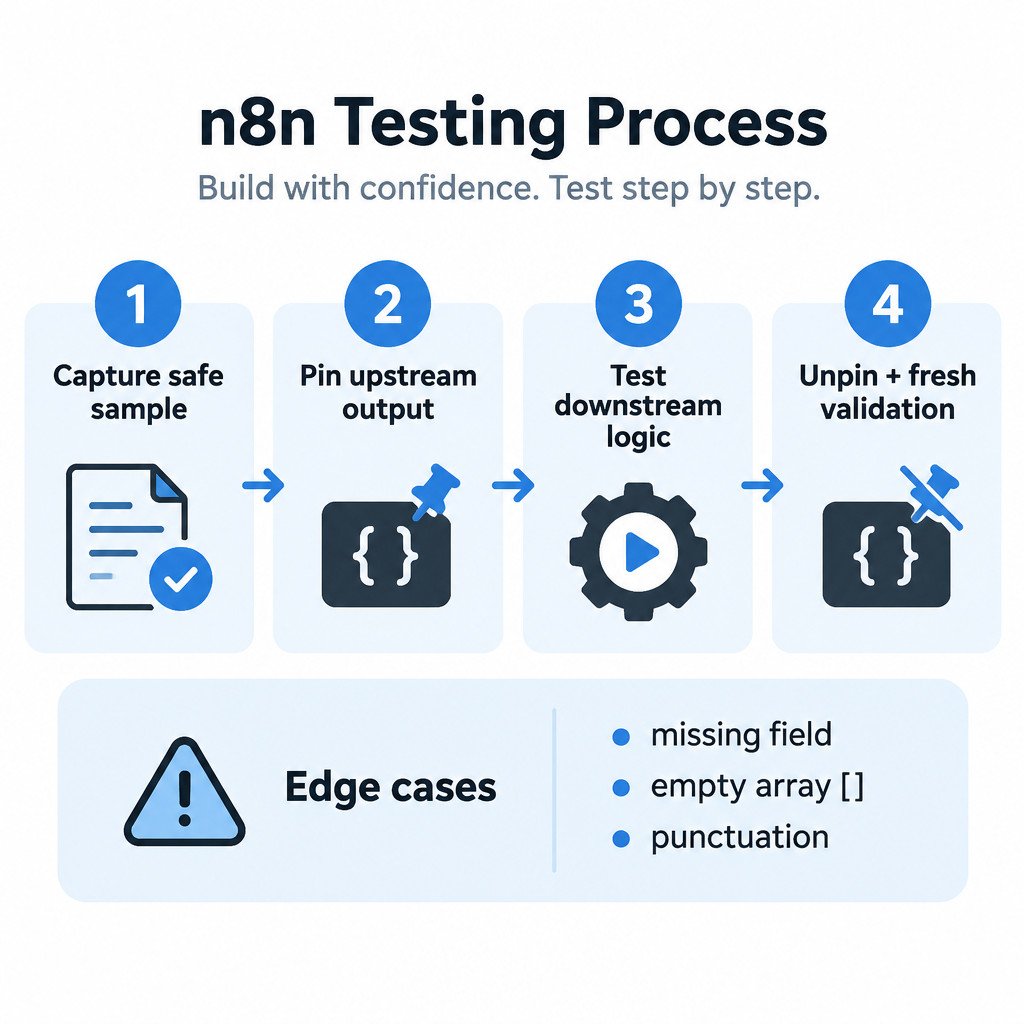
- Run the source node once with safe, representative input. For a webhook workflow, this may mean sending one controlled test request. For an API node, use a query that returns a small result.
- Open that node’s output in the editor and use n8n’s pin-data control to save the output. The exact control placement can vary by release.
- Change the downstream node you are developing.
- Execute the changed node, or the relevant downstream section. The pinned source output is reused instead of the source node making a new live request.
- Inspect each downstream result before moving farther along the workflow.
Keep the pinned node as close as possible to the expensive or side-effecting boundary. For example, pin the output of a webhook-processing or API-fetching node, then test parsing, routing, transformations, and formatting below it. This preserves the part you need to debug while avoiding unnecessary external activity.
Edit pinned JSON for edge cases
A happy-path payload rarely proves that an expression is robust. Edit a copy of the pinned data to test the cases your workflow must handle. The following values are illustrative, not a required n8n schema:
| Case | Illustrative input change | What to check downstream |
|---|---|---|
| Missing optional field | Remove companyName | Does an expression provide a fallback rather than fail? |
| Empty collection | Set items to [] | Does the workflow avoid accessing the first item when none exists? |
| Punctuation in text | Set customerName to O'Neill, Sam (North) | Are templates, search queries, and destination fields preserved correctly? |
Do not change only the visible value and leave dependent fields inconsistent. If a downstream node expects an array of objects with id and status, a mock array of plain strings tests a different problem: malformed structure. That can be useful, but label it as such and do not mistake it for a realistic empty-array test.
Reuse a useful past execution carefully
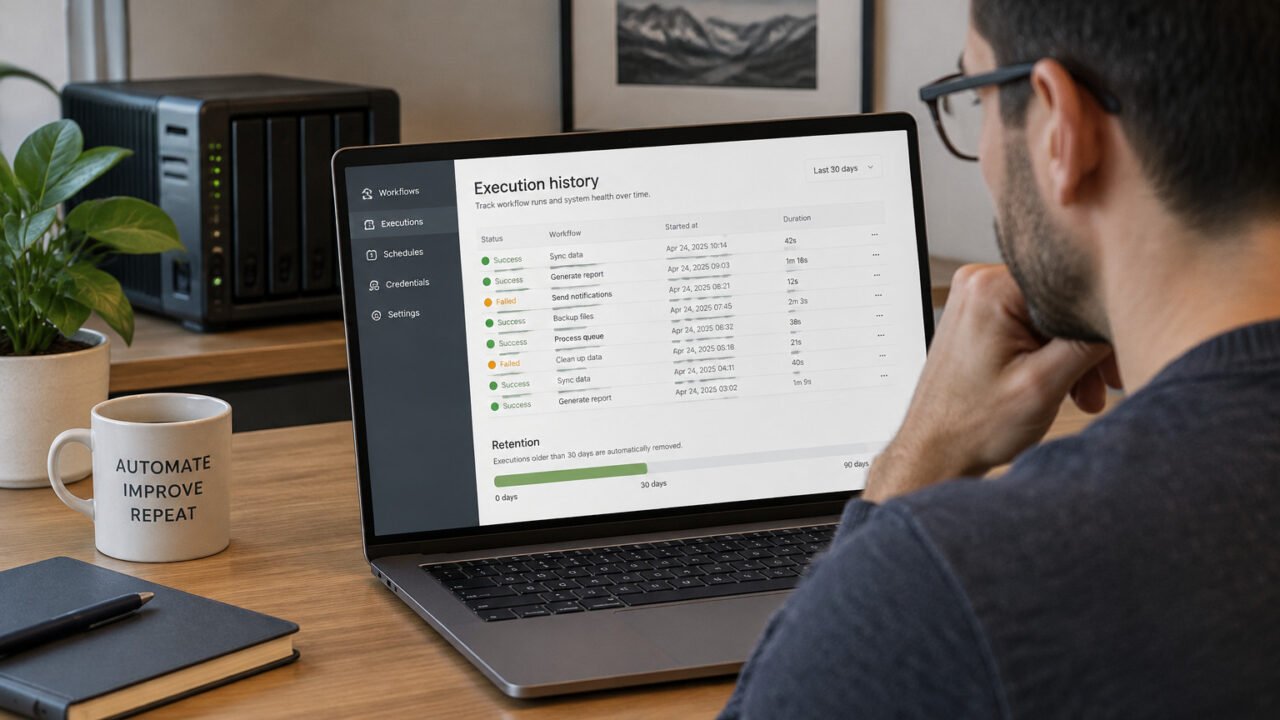
When a problem occurred with a particular payload, a past execution is often the best starting point. The Executions view can filter executions by workflow, status, and time. n8n also provides ways to load prior execution data into the current workflow for debugging; review the All executions documentation before choosing a retry option.
For a safe reproduction, copy only the input data needed for the development workflow, load it into the relevant starting point, and pin it. Avoid treating a retry as a harmless preview. A retry can reach downstream nodes that send an email, create an issue, update a spreadsheet, or write to a database.
Where available, the editor’s debugging and copy-to-editor tools can help bring execution data into a current workflow and pin data at the first node. n8n’s support guidance also recommends using small representative samples and being careful when rerunning nodes with side effects: optimizing and debugging large workflows.
A safe routine for workflow changes
- Capture or create a minimal representative input.
- Pin the upstream node that would otherwise make a live request or receive changing input.
- Change and execute only the downstream section under investigation.
- Use a test account, test table, draft destination, or other non-destructive target where possible.
- Test at least one normal case and the relevant edge cases.
- Unpin the node and validate once with controlled fresh input.
Why a workflow seems to use old input
The usual cause is straightforward: the upstream node is still pinned. While developing in the editor, its saved output can continue to feed later nodes even if a new webhook event arrives or the external API now has different results. Unpin the node when you are ready to inspect fresh input.
If an expression fails after you edit pinned JSON, compare the edited structure with what the expression expects. Check field names, object nesting, array length, and data types. A missing field needs conditional handling; an empty array needs a length check or an alternate route; a number changed into a quoted string may affect calculations or comparisons.
Before you activate or publish
- Remove pins from nodes that should receive live data.
- Send one controlled fresh input through the workflow.
- Confirm credentials point to the intended account or environment.
- Confirm that destinations, recipients, and database targets are correct.
- Review any node capable of creating, updating, deleting, or sending data.
- Activate or publish only after the live-input check behaves as intended.
Pinned data makes development repeatable, but it can also hide the fact that a workflow no longer responds to real input. Use it to isolate transformations and logic, then deliberately remove it for the final integration check. That combination gives you faster iteration without confusing a saved sample for a live workflow test.
Sources
n8n official documentation and support guidance linked above describe pinning behavior, execution handling, and debugging precautions. Interface details may differ between n8n versions.