Quick answer
Choose SQLite when your application needs a small, self-contained database stored in a local file with almost no administration. Choose PostgreSQL when several users or services need concurrent access, especially if the system requires network connections, detailed permissions, replication, or space to scale.
SQLite often suits mobile apps, desktop software, command-line tools, prototypes, tests, and local caches. PostgreSQL is usually the stronger choice for web applications, APIs, business systems, software-as-a-service platforms, and workloads with frequent concurrent writes.
Neither database is always faster. SQLite avoids server and network overhead during local operations. PostgreSQL, on the other hand, handles sustained concurrency and complicated server workloads more effectively.
SQLite and PostgreSQL at a glance
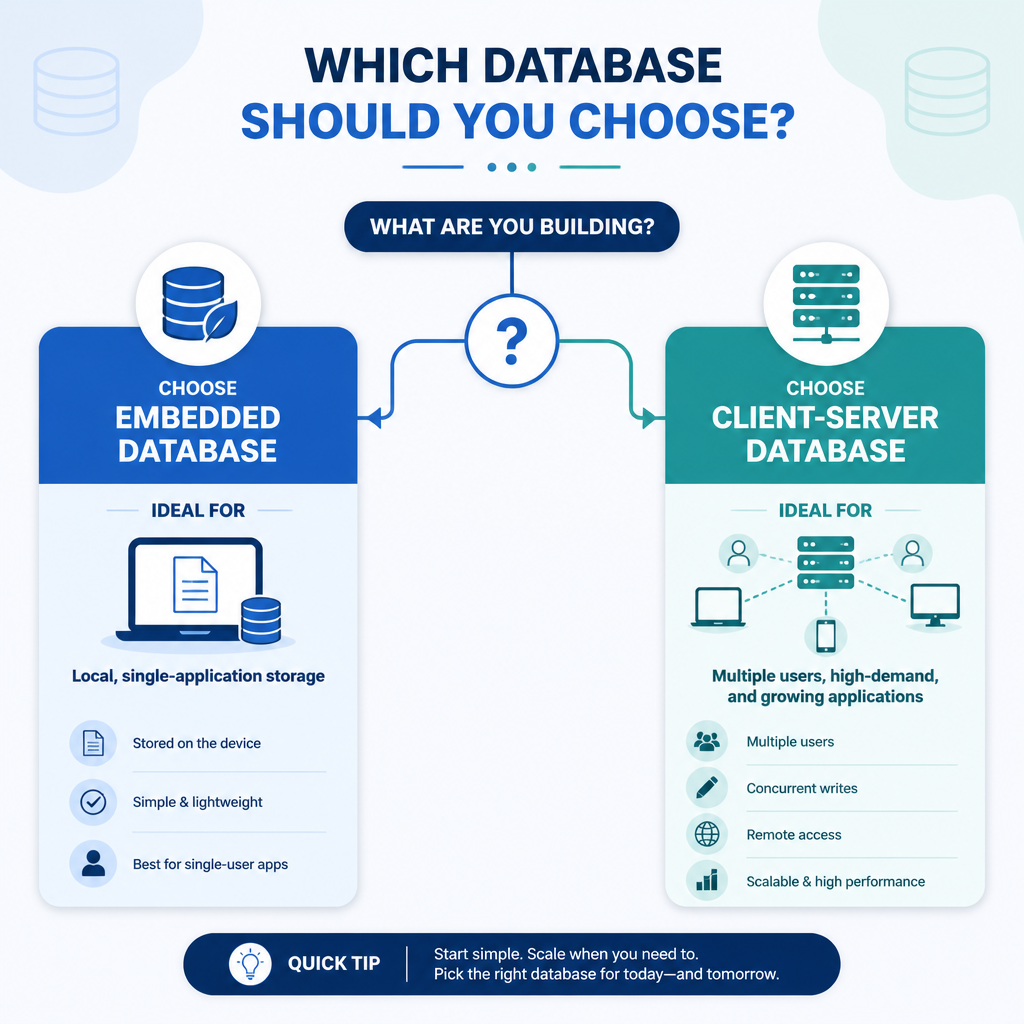
Architecture
SQLite: An embedded database engine that reads and writes an ordinary file. It runs within the application process, so there’s no separate database server to install.
PostgreSQL: A client-server database. A dedicated PostgreSQL service manages the data, connections, transactions, permissions, and recovery. Applications connect to it through a local socket or a network.
Best use case
SQLite: Local storage for a single application or device, particularly when simplicity and portability matter more than high write concurrency.
PostgreSQL: Shared application data that must be accessed by multiple users, processes, servers, or services.
Concurrency
SQLite: Supports multiple readers. With write-ahead logging enabled, readers can continue working while a write is active. Writes are still serialized, though, which means only one write transaction can modify the database at a time.
PostgreSQL: Built for many simultaneous readers and writers. Its multiversion concurrency control system gives transactions consistent snapshots while limiting unnecessary blocking.
Administration
SQLite: Needs very little setup. The database is generally stored in one file, although temporary journal or write-ahead log files may appear while it’s being used.
PostgreSQL: Requires installation, configuration, user management, monitoring, updates, and a backup plan. A managed PostgreSQL service can take care of some of this operational work.
Key differences
1. Embedded file versus database server
SQLite is called serverless because it doesn’t run as a separate database service. That term doesn’t mean SQLite is a cloud serverless product. Instead, the SQLite library is included in the application, which accesses the database file directly.
PostgreSQL runs as a service and accepts connections from database clients. This arrangement makes centralized access practical and separates storage management from application processes.
Don’t put an SQLite database on a network file share so several computers can access it. File locking and differences in network filesystem behavior may lead to poor performance or reliability issues. If applications on separate machines need to share live data, use PostgreSQL.
2. Concurrent writes
SQLite works well for many light-duty applications, but frequent or long-running write transactions can cause lock contention. Write-ahead logging often helps with workloads that mix reads and writes:
PRAGMA journal_mode=WAL;Enabling write-ahead logging doesn’t turn SQLite into a multi-writer server. Applications still need to keep write transactions short and respond properly to temporary busy conditions.
PostgreSQL is the safer default when many requests may update different records at the same time. It also includes advanced transaction isolation, locking controls, deadlock detection, and monitoring tools.
3. Data types and SQL features
SQLite uses flexible type affinity. In some cases, values can be stored in columns even if they don’t match the declared type. STRICT tables are available when stronger enforcement is required. PostgreSQL has a richer, stricter type system that includes arrays, ranges, network address types, structured JSON data, and user-defined types.
These table definitions illustrate a common difference:
-- SQLite
CREATE TABLE tasks (
  id INTEGER PRIMARY KEY,
  title TEXT NOT NULL,
  done INTEGER NOT NULL DEFAULT 0
);

-- PostgreSQL
CREATE TABLE tasks (
  id bigint GENERATED ALWAYS AS IDENTITY PRIMARY KEY,
  title text NOT NULL,
  done boolean NOT NULL DEFAULT false
);
Both databases support transactions, indexes, constraints, joins, common table expressions, window functions, and triggers. PostgreSQL goes further with broader SQL functionality, procedural languages, extensions, indexing methods, and administrative controls.
4. Performance
SQLite can be extremely fast when the application and database are on the same device. Since it avoids connection and network overhead, it’s a good match for local reads and modest write workloads.
PostgreSQL brings more server and per-connection overhead. Still, it tends to perform better as concurrency, data volume, query complexity, and write activity grow. For web applications, connection pooling can reduce the cost of repeatedly creating connections.
Actual performance depends on the queries, indexes, transaction design, hardware, storage latency, and configuration. Test the real workload instead of making a decision based only on database size.
5. Security and access control
SQLite depends mainly on operating-system file permissions. It doesn’t include PostgreSQL-style users, roles, or network authentication, and its core engine doesn’t transparently encrypt the database file.
PostgreSQL provides roles, object-level privileges, authentication policies, and encrypted client connections. That makes it more appropriate when applications or users need different permissions. Encryption for stored data still relies on the operating system, infrastructure, or a suitable encryption solution.
6. Backups and recovery
An SQLite database is easy to move, but you shouldn’t copy an actively changing file without coordinating with SQLite. Doing so can create an inconsistent backup. Use SQLite’s backup API, the command-line .backup command, or stop writes before copying the file.
PostgreSQL supports logical backups with pg_dump, along with physical backup methods for larger systems. Write-ahead log archiving can provide point-in-time recovery, while replication may improve availability. These features demand more planning than backing up SQLite.
When SQLite is the better choice
- Your application and database run on the same device.
- You want zero-configuration storage that can be shipped with an application.
- The workload has relatively few simultaneous writes.
- You’re building a mobile app, desktop app, browser component, test suite, local tool, or cache.
- You need a portable database that’s straightforward to distribute or archive.
When PostgreSQL is the better choice
- Several applications, users, or servers need shared access.
- The workload involves regular concurrent writes.
- You need roles, permissions, remote connections, or centralized auditing.
- You expect to use replication, point-in-time recovery, advanced indexing, or extensions.
- The database supports a production website, API, business system, or multi-tenant service.
Pros and cons
SQLite advantages
- There’s no separate server to install or manage.
- It has a small footprint and is simple to deploy.
- Local access is fast because there’s no network round trip.
- It’s easy to use for development, testing, and portable applications.
SQLite limitations
- Writes are serialized.
- There’s no built-in user or role management.
- It isn’t designed to serve many remote clients directly.
- It provides fewer administration and scaling features.
PostgreSQL advantages
- Strong support for concurrent transactions.
- A broad set of SQL features, data types, indexes, and extensions.
- Detailed permissions and network authentication.
- Replication, monitoring, backup, and recovery features.
PostgreSQL limitations
- It needs a running server or managed service.
- More configuration and operational maintenance are required.
- It uses more resources than an embedded SQLite database.
Verdict
Use SQLite when the database is a private part of one application. Choose PostgreSQL when it serves as shared infrastructure for multiple users, processes, or machines.
Don’t replace SQLite automatically just because the database has grown. A large local database with light write activity may continue to work well. The reverse is also true: even a small database may call for PostgreSQL when many clients write concurrently or need separate permissions.
Some systems use both databases. SQLite handles offline or device-local storage, while PostgreSQL acts as the central server database. Synchronization has to be built explicitly because SQLite and PostgreSQL don’t automatically replicate with each other.
Frequently asked questions
Is PostgreSQL better than SQLite?
PostgreSQL is better suited to shared, concurrent, server-based workloads. SQLite is a better fit when local access, portability, simplicity, and minimal administration matter most.
Is SQLite faster than PostgreSQL?
SQLite is often faster for straightforward local operations because no server process or network connection sits between the application and the database. PostgreSQL generally scales better with concurrent requests and more complicated workloads.
Can SQLite handle multiple users?
Multiple processes can read an SQLite database, and SQLite coordinates transactions safely. Writes remain serialized, however. PostgreSQL is preferable when many users frequently change data or connect from different computers.
Can I migrate from SQLite to PostgreSQL later?
Yes, though the migration may involve converting data types, identity columns, date handling, Boolean values, SQL syntax, and application connection logic. Starting with standard SQL and an abstraction or migration framework can reduce the work later.