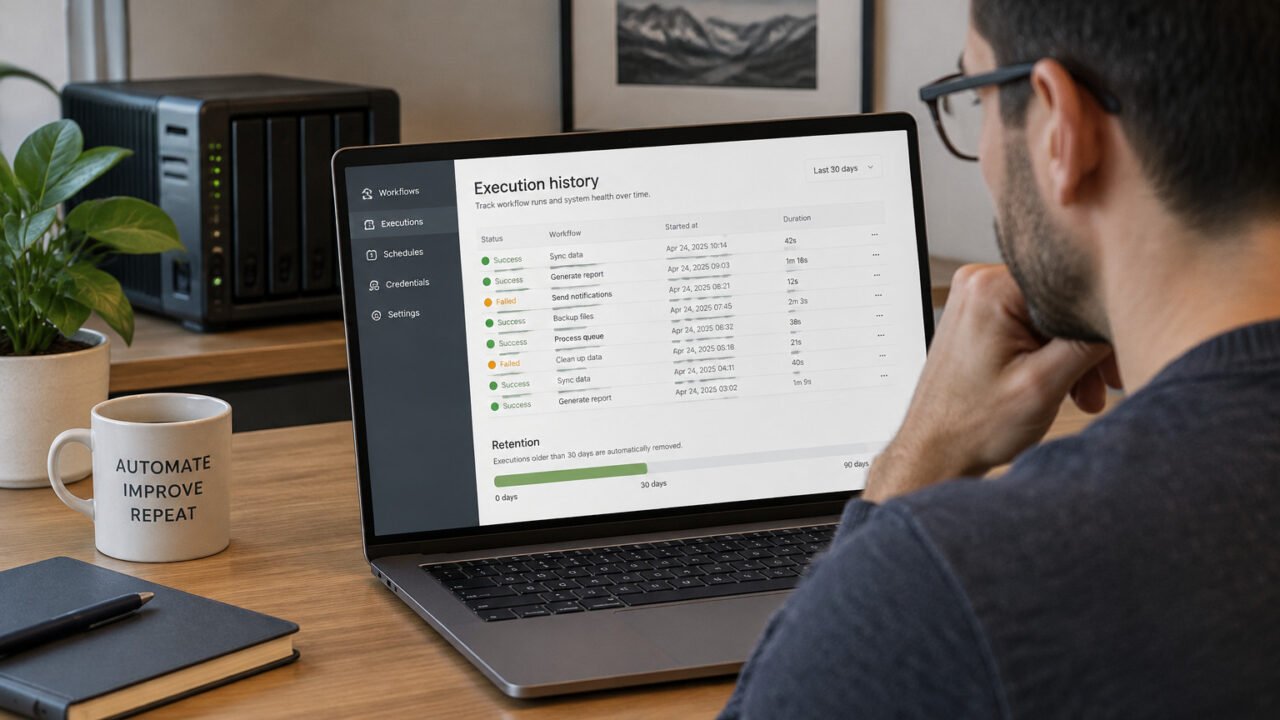
For a self-hosted n8n instance, the practical default is usually to retain failed execution data, stop saving routine successful runs, and prune completed history on a defined schedule. This preserves useful diagnostics while limiting avoidable database growth.
There are two separate controls to understand. Saving settings determine what data new executions retain. Pruning removes eligible completed executions that are already stored. Changing save settings will not clean up old records by itself; pruning is the part that manages existing history over time.
Decide what history you actually need
Execution data can help diagnose a broken API call, inspect inputs, or explain why a workflow took a particular path. It is also data that must be stored, backed up, and protected. A workflow that succeeds frequently can create far more history than a workflow that occasionally fails.
Before editing configuration, identify where your self-hosted deployment reads its environment variables: commonly a Docker Compose file, a container orchestration manifest, or a service configuration. Also confirm which database backs n8n. SQLite and server databases such as PostgreSQL have different operational characteristics, especially when it comes to reclaiming disk space.
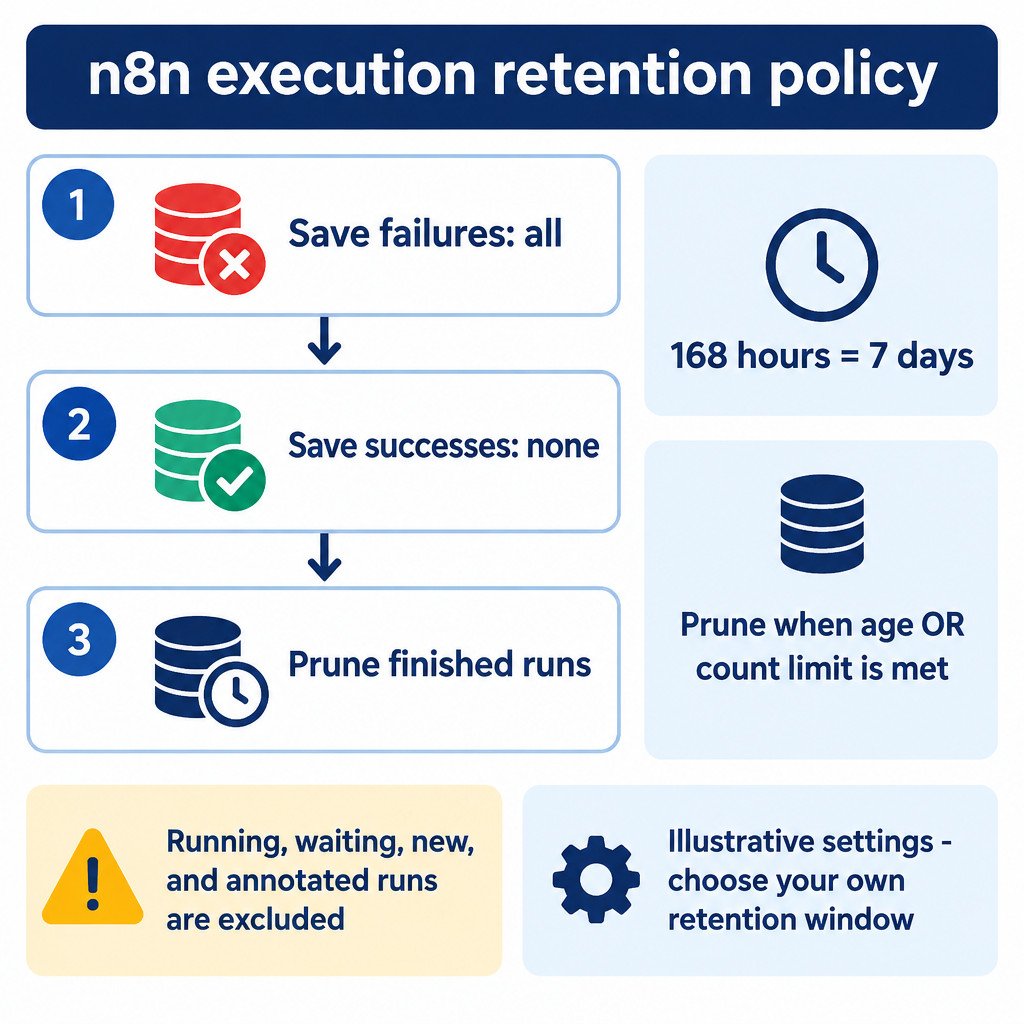
A useful starting policy is to save all data for failed runs, save no data for successful runs, avoid saving node-by-node progress, and avoid retaining manual test executions. This is not a universal rule. Keep successful data when it is needed for a real support, audit, or troubleshooting process, and make the retention window long enough for that process.
n8n documents the available execution-data controls and explains that completed executions can be pruned by age or count. It also notes that new, running, waiting, and annotated executions are not eligible for pruning. Read n8n’s execution-data management guidance.
Set a focused saving policy in Docker Compose
Add or adjust the following entries under the n8n service’s environment section, then redeploy the service using your normal process. These values are a starting policy for a self-hosted installation, not a copy-and-paste retention requirement for every workflow.
services:
  n8n:
    environment:
      EXECUTIONS_DATA_SAVE_ON_ERROR: all
      EXECUTIONS_DATA_SAVE_ON_SUCCESS: none
      EXECUTIONS_DATA_SAVE_ON_PROGRESS: "false"
      EXECUTIONS_DATA_SAVE_MANUAL_EXECUTIONS: "false"

      EXECUTIONS_DATA_PRUNE: "true"
      EXECUTIONS_DATA_MAX_AGE: "168"
      EXECUTIONS_DATA_PRUNE_MAX_COUNT: "10000"
EXECUTIONS_DATA_SAVE_ON_ERROR=all keeps the available execution data when a run fails. EXECUTIONS_DATA_SAVE_ON_SUCCESS=none prevents routine successful runs from adding the same kind of retained data. Disabling progress data avoids storing interim node information, while disabling manual-execution saving prevents ad hoc editor tests from becoming long-term history.
Each choice has a debugging cost. If a workflow reports success but produces an unexpected downstream result, a policy that saves no successful data leaves less evidence to inspect. In that case, temporarily enable success retention while investigating, or retain it for a shorter, suitable period if the need is ongoing.
Prune by age and count, deliberately
EXECUTIONS_DATA_PRUNE=true enables pruning. EXECUTIONS_DATA_MAX_AGE is an age limit in hours, and EXECUTIONS_DATA_PRUNE_MAX_COUNT limits how many finished executions are retained. An eligible completed execution can be pruned when either the age condition or the count condition is reached. Set both values with intent: a long age limit will not protect you from a sudden flood of runs if the count threshold is low.
The values above are illustrative: 168 hours equals 7 days. Seven days may be too short for a monthly review process and too long for a high-volume workflow with no need for historic successes. Choose a window based on the longest realistic period in which someone can investigate a failure or meet a legitimate record-retention need.
Pruning concerns finished executions. It should not be treated as an emergency command to remove every record immediately. n8n excludes new, running, waiting, and annotated executions from eligibility, and its deletion process includes a hard-delete buffer before permanent removal. Do not delete database files or manually remove database rows as a shortcut; that bypasses n8n’s own retention behavior and can create a harder recovery problem.
For the full variable definitions, defaults, storage-mode options, and pruning controls, consult n8n’s execution environment-variable reference. External execution storage and external binary-data storage also have deployment and plan constraints, so do not assume every storage option is available in every n8n setup.
Verify the policy before relying on it
- Record the current configuration and ensure the database has a recent backup.
- Redeploy n8n, then confirm the service started normally and loaded the intended environment variables.
- Run one harmless workflow that succeeds and inspect the Executions list.
- Create an intentional, reversible test failure, such as a workflow path that stops with an error, and inspect the retained execution data.
- After the chosen retention period, check whether eligible completed records are being removed as expected.
- Review the policy after changing workflow volume, debugging practices, or retention obligations.
SQLite: reusable space is not the same as a smaller file
If your n8n instance uses SQLite, successful pruning can make database pages available for reuse without immediately reducing the database file’s size on disk. That can be normal. n8n documents a startup vacuum option and a manual SQLite VACUUM as possible compaction approaches, but treat either as planned maintenance rather than a casual live-system fix.
A SQLite VACUUM rebuilds the database file. SQLite warns that the operation can require substantial free disk space, potentially about twice the original database-file size, and can fail if a write-preventing lock is present. Back up first, schedule downtime or an appropriate maintenance window, and confirm the method for your deployment before proceeding. SQLite’s VACUUM documentation describes these behaviors and limitations.
Quick troubleshooting guide
| What you see | Likely check | Practical response |
|---|---|---|
| The database continues to grow | Successful, manual, or progress data may still be saved; annotations can also preserve executions. | Review the saving variables, workflow volume, annotations, and both pruning limits. |
| The SQLite file does not become smaller | Freed pages may be reusable internally rather than returned to the filesystem. | Monitor future growth; plan a backup-aware vacuum only if disk reclamation is necessary. |
| Needed history is missing | The age or count threshold is too restrictive for the investigation window. | Increase the appropriate limit and document why that retention period is needed. |
| There is not enough failure detail | Error data is not being retained at the needed level, or the run was removed too soon. | Preserve failed executions and lengthen retention before changing successful-run storage. |
The goal is not to keep as little history as possible. It is to retain the specific evidence that makes failures diagnosable, then remove routine completed data predictably. A small documented policy, a tested configuration, and a periodic review are safer than waiting for the database volume to become an urgent storage problem.