Imran Sayyad is a Computer & Software Engineer, Technology Enthusiast, Creative Content Maker & Publisher. He loves to explain technology and solve real-life problems. He is working to make people's life better by sharing knowledge. You can share a cup of ☕coffee with Imran.
Is Google Play stuck on Pending or Waiting for download? Use these steps to clear the download queue, repair Play Store data, check storage, and get Android apps downloading again.
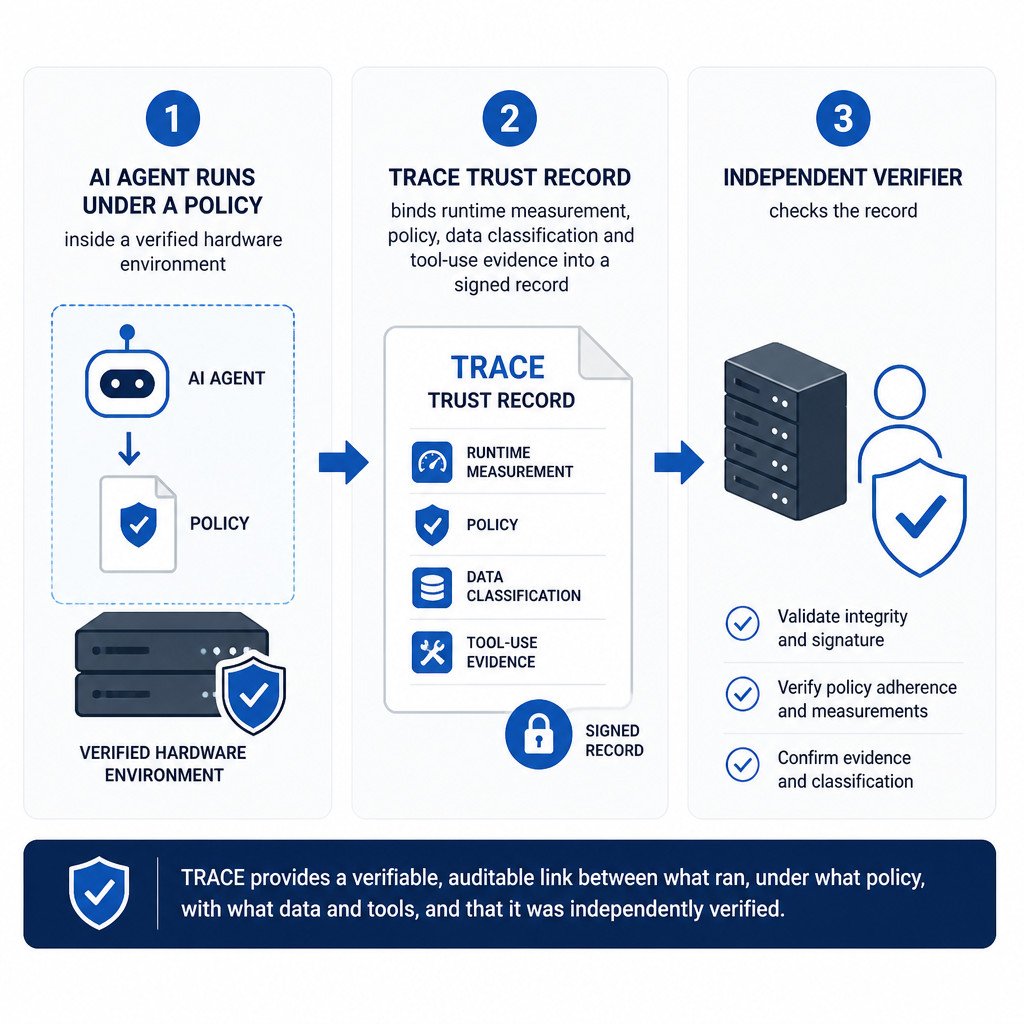
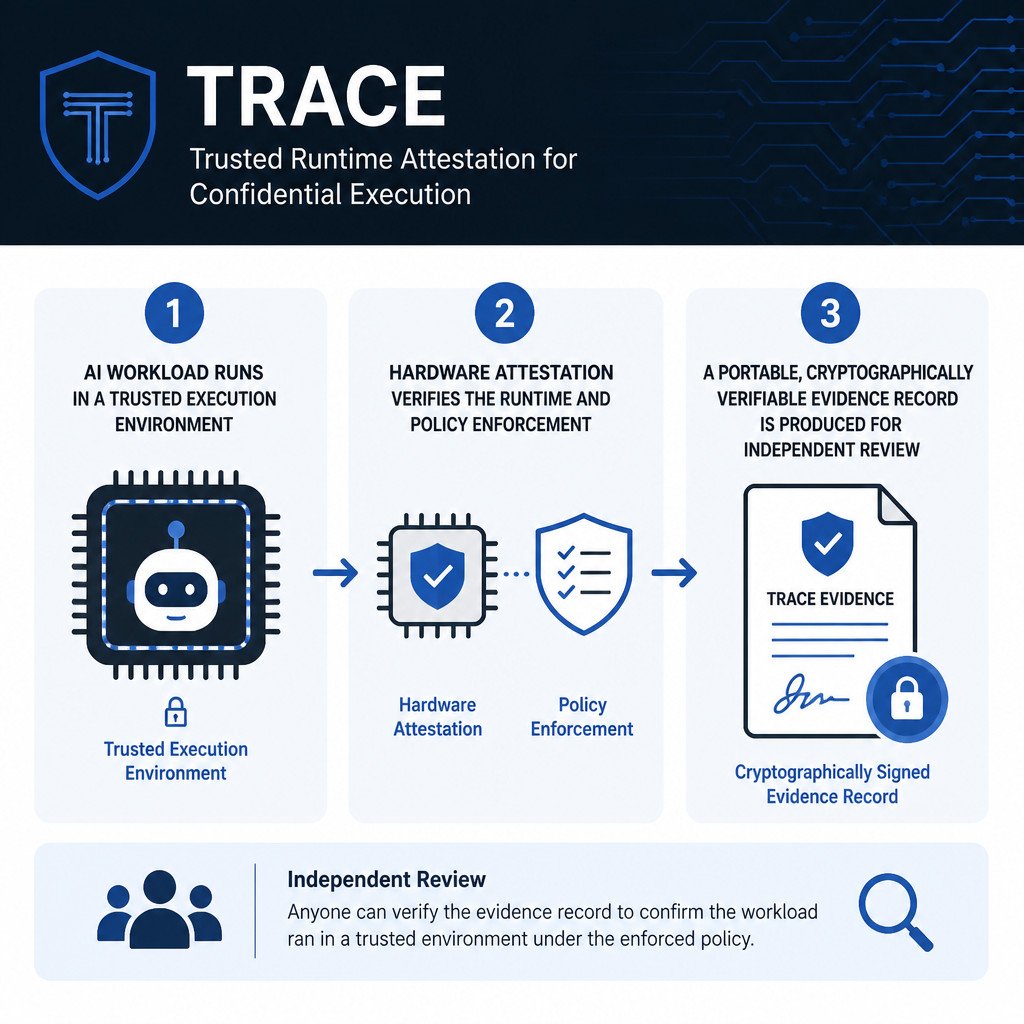
TRACE is an open specification for creating verifiable records of how AI agents and confidential workloads ran, including the policies enforced during execution.
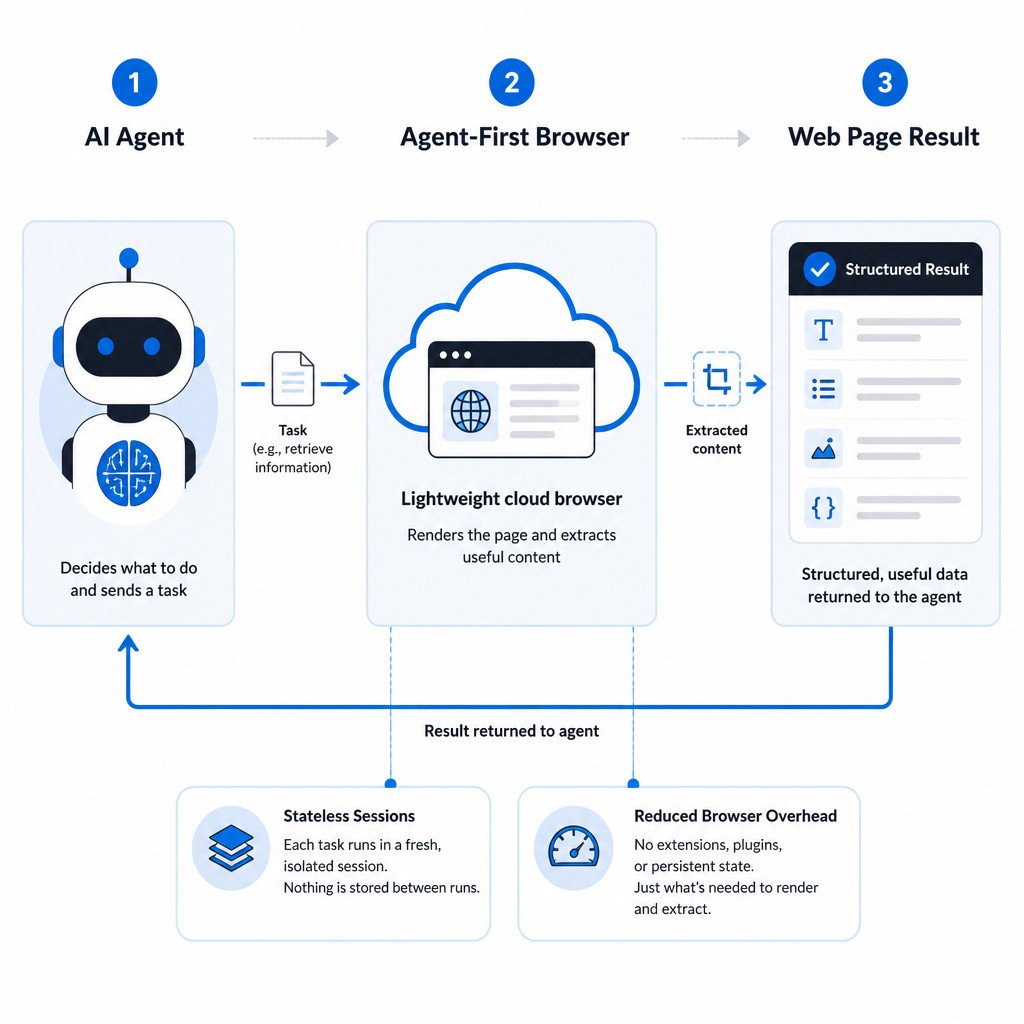
An agent-first browser is a web browser designed for AI agents rather than human users. Learn how Cloudflare Kitesurf handles web tasks with less browser overhead.
Sennheiser’s new Momentum True Wireless 5 puts replaceable batteries in both earbuds and the charging case, signalling a practical shift away from disposable audio gear.
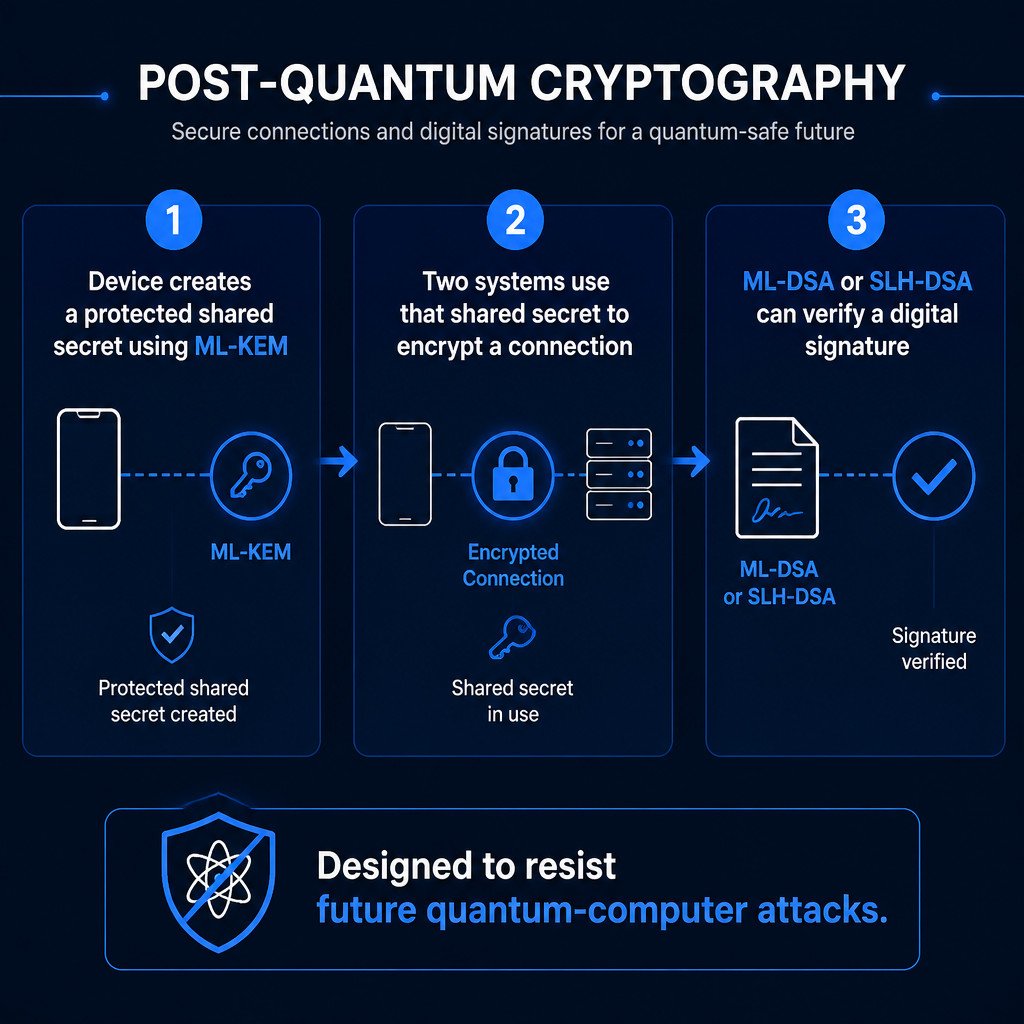
Post-quantum cryptography is a new generation of encryption designed to protect data from future quantum computers. Learn how it works and why the transition has already begun.
Learn how to create consistent MySQL database backups with mysqldump, restore SQL dump files, include routines and events, compress backups, and verify the results.
 Imran Sayyad